
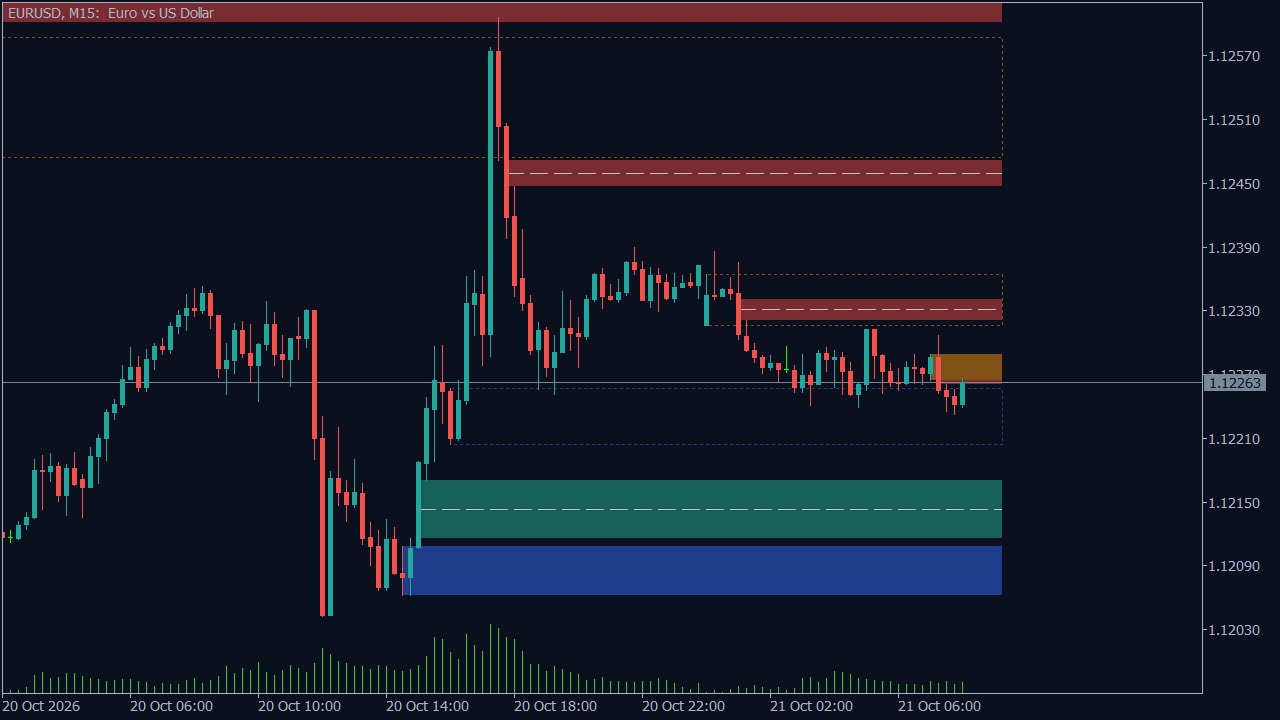
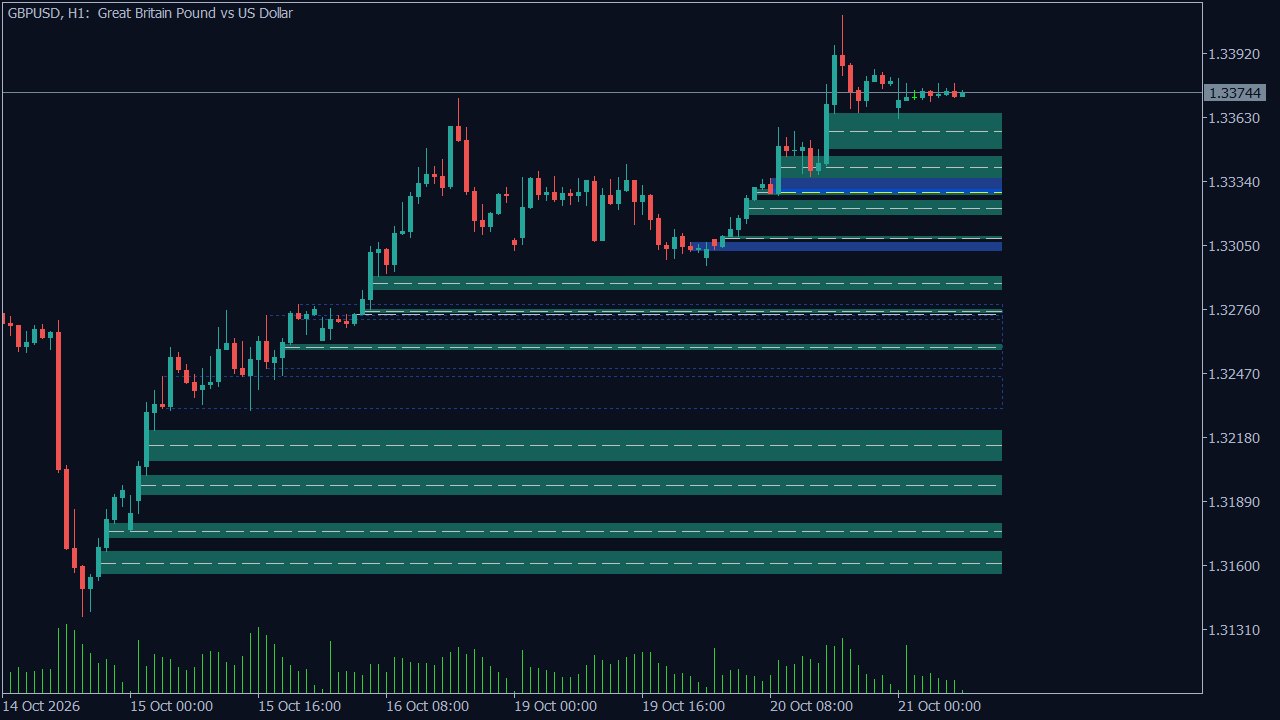
What it draws
- Fair value gaps: three candles where the first candle's high is below the third one's low (bullish) or its low above the third one's high (bearish). The box starts at the middle candle and runs until the gap is filled (or until its CE is touched, if you choose that); the dashed line is the CE, the gap's 50%.
- Order blocks: the last opposite candle (up to 5 candles back) at the low of a leg that then closes above the last swing high (bullish), or at the high of a leg that closes below the last swing low (bearish). A fresh block is filled; once price comes back into it (mitigated) only its outline stays; it ends when a candle closes beyond its far side (it failed: a breaker or a mitigation block).
Same rules as ICC Charts. The indicator follows the rules of the FVG and Order Blocks layers,
written out on the ICT indicators page. An automatic test runs the indicator's code
and the ICC Charts engine on the same 2,500 candles: both must find the same gaps and blocks, and the same fills,
mitigations and failures.
Install in 2 minutes
- Download ICC_FVG_OB.ex5 above (free ICC Charts account).
- In MetaTrader 5 open File → Open Data Folder, then the folder MQL5 → Indicators.
- Copy ICC_FVG_OB.ex5 into that folder.
- Back in MetaTrader, right-click Indicators in the Navigator (Ctrl+N) and press Refresh.
- Drag ICC_FVG_OB onto a chart, choose your settings on the Inputs tab and press OK.
Settings
| Timeframe of the gaps and blocks | Current chart, or a fixed one (for example H1 boxes on an M5 chart). |
|---|---|
| Bars of history to scan | 3000. Only new closed bars are computed after the first load. |
| Only boxes made in the last N bars | 300, so old zones do not cover the chart (ICC Charts uses 500). |
| Show fair value gaps / A gap's box ends | On. The box runs until the gap is filled, or until its CE (50%) is touched. |
| Show the CE line | On: a dashed line at the middle of each gap. |
| Show order blocks / Only blocks with displacement | On / off. With the option on, only blocks whose leg had a displacement candle (body at least 1.5 x ATR and 60% of the candle) are drawn. |
| Also show ended boxes | Off. On: filled gaps and failed blocks stay as dotted outlines. |
| Most gaps / Most order blocks | 20 / 12, the newest ones. |
| Swing size | 0 = automatic, like ICC Charts: 1 candle on each side up to M5, 2 above. |
| Colours | Bullish / bearish gap, bullish / bearish block, CE line. |
More timeframes, more layers
In the ICC Charts web terminal the same gaps and blocks sit next to 12 more ICT layers (liquidity, structure, killzones, OTE and more), on up to 8 synced charts and every timeframe, with alerts on your phone. Free to start in the browser, on Android and on Windows.
Open ICC Charts free See all 14 ICT layers
Education only. The indicator draws zones by fixed rules; it is not a signal and does not predict price. Trading with leverage carries a high risk of losing money: test on a demo account first.